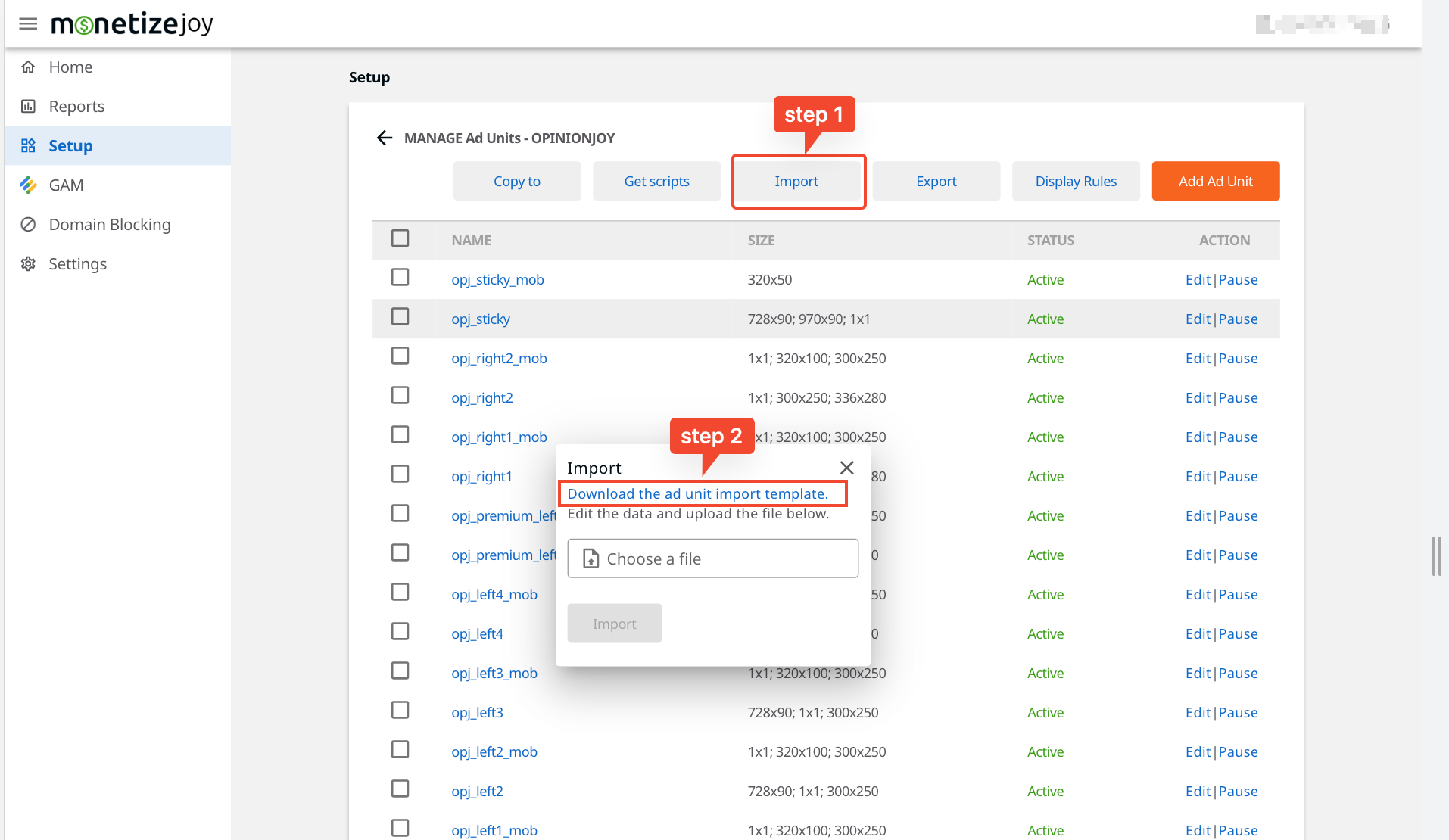
| id | optional | When the ID exists, update the corresponding ad unit; when the ID is empty, create a new ad unit; Note that only ad units of the current website are supported. | 12 | number |
| name | required | ad unit name | left-1 | string |
| code | required for prebid Ad units(is_prebid=1) | GAM inventory code | /123456789/left-1 | string |
| div_id | required for Dynamic ad units(is_dynamic=1) and regular ad units(is_anchor=0 & is_interstitial=0) | Div ID Name | left-1 | string |
| sizes | required for non-interstitial prebid Ad units(is_interstitial=0) | ad size mapping | Size Mapping | string |
| notes | optional | descript the location etc | page a's ad unit | string |
| hardfloor | optional | the lowest CPM price a bid will need to meet for each Prebid auction. | 0.25 | string |
| refresh | optional | Only non-interstitial prebid ad units are valid. 1 refreshes the ad, 0 does not refresh. | 1 | number |
| refresh_times | optional | Number of refreshes. default=0(Unlimited), can choose 1-60 | 0 | number |
| lazy_load | optional | Only non-interstitial ad units are valid. 1 lazyload the ad, 0 does not lazyload. | 0 | number |
| is_prebid | optional | 1 is for prebid ad unit, 0 is for custom ad unit. | 1 | number |
| is_anchor | optional | 1 is for sticky ad unit, 0 is for non-sticky ad unit. | 0 | number |
| is_interstitial | optional | 1 is for interstitial ad unit, 0 is for non-interstitial ad unit. | 0 | number |
| is_dynamic | optional | 1 is for dynamic ad unit, 0 is for non-dynamic ad unit. | 0 | number |
| dynamic_mode | required for dynamic Ad units(is_dynamic=1) | dynamic ad mode | slot_mode | string |
| slot_mode_type | required for dynamic_mode=slot_mode | slot mode type | after | string |
| slot_mode_selector | required for dynamic_mode=slot_mode | dynamic ad(slot_mode) slot element selector(CSS selectors) | #main | string |
| interval_mode_intervals | required for dynamic_mode=interval_mode | Insert ad units every n slot elements. | 4 | number |
| interval_mode_selector | required for dynamic_mode=interval_mode | dynamic ad(interval_mode) slot element selector(CSS selectors) | .list-item | string |
| website_display_rules_ids | optional | The display rules that need to be applied to the ad unit, separated by , for multiple display rules. If empty, the ad unit will be loaded on all pages of the website. | 1,2,3,4 | string |
| fallback_adunit_id | optional | fallback ad unit ID | 23 | number |
| is_fallback | optional | 1 is for fallback ad unit, 0 is for non-fallback ad unit. | 0 | number |
| status | required | 1 is for enabled ad unit, 0 is for disabled ad unit. | 1 | number |
| [bidder]:enabled | required for prebid Ad units(is_prebid=1) | 1 is for enabled bidder config, 0 is for disabled bidder config. | 1 | number |
| [bidder]:params:[param_a] | required for prebid Ad units(is_prebid=1) | see Bid Params configuration example | see Bid Params | string |